Sourcer productivity tools
The category of software, extensions, and platforms that help talent sourcers find, qualify, and contact more of the right candidates in less time, spanning profile databases, contact enrichment services, outreach sequencers, Boolean search helpers, and AI drafting assistants.
Michal Juhas · Last reviewed May 4, 2026
What are sourcer productivity tools?
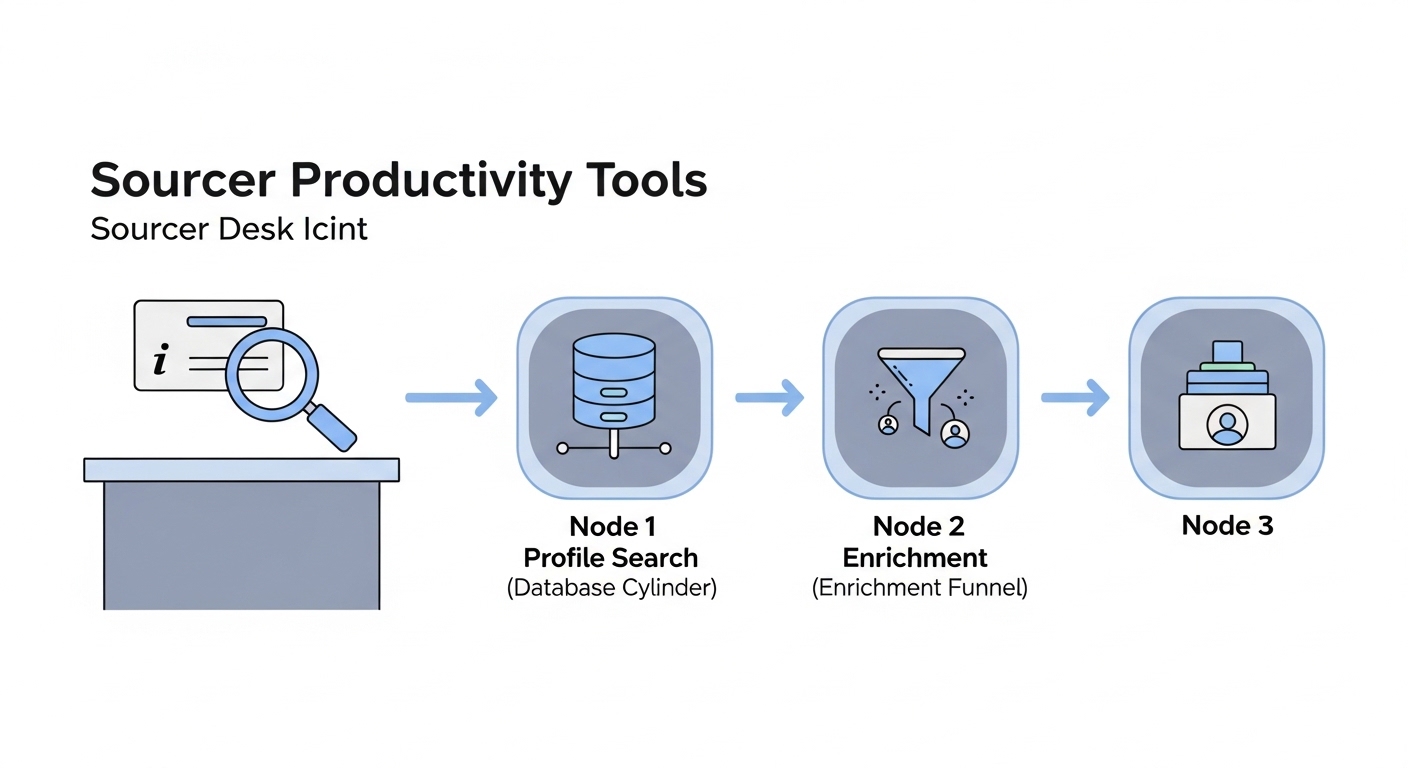
Sourcer productivity tools are the software layer that sits between a sourcer and the hiring market. The category is broad: profile databases that index professional networks, contact enrichment services that find verified email addresses and phone numbers, outreach sequencers that track replies and schedule follow-ups, AI assistants that draft personalised messages and Boolean queries, and Chrome extensions that pull profile data while you browse.
The distinction from generic HR software is that productivity tools are built for the search and outreach loop, not for tracking candidates already in the pipeline. They answer the question of how to surface the right people quickly and reach them with a message that earns a reply, before the candidate enters the ATS.
In practice
- A sourcer running a senior engineering search uses a talent data aggregator to build an initial long-list filtered by company, seniority signal, and location, then runs it through a contact enrichment step to find verified email addresses before any outreach leaves.
- Teams at agencies often describe using five tools in a single sourcing session: a profile database, a Chrome extension for data pull, an enrichment waterfall, an AI drafting assistant, and a sequencer to manage follow-ups across a week.
- When reply rates drop below 10 percent, the team-level diagnosis usually points to one of two things: the wrong tool surfacing poor-fit profiles, or outreach copy that reads like a template.
Quick read, then how hiring teams use it
This is for sourcers, TA leads, and recruiting ops partners who need to evaluate tools, calibrate stack spend, and track whether the investment is producing better pipeline. Skim the first section for the shared vocabulary you need in vendor calls. Use the second section when you are deciding what to buy, what to cut, or how to wire tools into your ATS.
Plain-language summary
- What it means for you: A sourcer productivity tool is any software that reduces the time between "I have a job brief" and "I have a qualified candidate ready to receive an outreach message." It could be a database, an AI assistant, an enrichment service, or a Chrome extension that does in seconds what used to take minutes.
- How you would use it: You pick the slowest part of your current sourcing loop, the one task that consumes the most time per candidate, and you find the tool that addresses that bottleneck. Not the tool with the most features: the one that fixes the constraint.
- How to get started: Map your current sourcing steps on paper. Write next to each step how long it takes. The step with the highest time-per-candidate that produces the least signal is where to start looking for tooling.
- When it is a good time: After the sourcing process is repeatable enough that a tool can run it faster. Not while the intake process still changes weekly or while you are still calibrating what a qualified candidate looks like for this req.
When you are running live reqs and tools
- What it means for you: Productivity tools are only as good as the data they route into your pipeline. A fast enrichment waterfall feeding the wrong profiles into your ATS at scale creates a deduplication and compliance problem that takes longer to unwind than the sourcing hours it saved.
- When it is a good time: After your ideal candidate profile for the req is agreed with the hiring manager, your Boolean search logic is validated against a sample of real profiles, and your ATS has a clean deduplication rule. Sourcing tooling multiplies whatever process sits underneath it.
- How to use it: Stack tools in a clear order: search and filter first to build a qualified long-list, enrich second to add verified contact data, then draft outreach with AI assistance and pass it through a human review gate before anything sends. Track reply rate per tool source to see which database is actually generating conversation, not just profile volume.
- How to get started: Audit your current subscriptions before adding more. For each tool you pay for, write down what metric it moves and whether that metric correlates with qualified submits. Cut what does not. Then pilot one new tool against a live req before signing a full contract.
- What to watch for: Duplicate candidate records from tools that do not connect to your ATS, enrichment data that violates your data processing agreement, and outreach sequences that fire before a human has reviewed the draft. Any tool that touches candidate personal data needs a clear legal basis and a retention policy before it goes into production use.
Where we talk about this
On AI with Michal live sessions we build live sourcing stacks: sourcing automation blocks step through tool selection, ATS wiring, and what happens when enrichment data is stale or a sequencer fires at the wrong time, and AI in recruiting blocks connect the same ideas to hiring manager trust and compliance. If you want the full room conversation rather than only this page, start at Sourcing Lab and bring your current tool list and the reqs you are working.
Around the web (opinions and rabbit holes)
Third-party creators move fast. Treat these as starting points, not endorsements, and verify before you wire candidate data.
YouTube
- Search "sourcer tool stack" or "LinkedIn Recruiter alternatives" on YouTube for practitioner walkthroughs of how sourcers evaluate and combine tools in real sessions.
- Live sourcing session recordings from sourcing conferences like SourceCon show how experienced sourcers use tools back to back on actual searches.
- "How to build a recruiting tech stack" videos on channels focused on TA operations tend to cover tool categories clearly, though specific product recommendations go out of date quickly.
- r/recruiting threads on sourcing tools often surface honest assessments of data quality and reply rates that vendor case studies never include.
- r/RecruitmentAgencies covers agency-specific tool stacks and cost-per-placement thinking that is useful for evaluating enrichment return on investment.
- Searching "enrichment tools recruiting" in r/recruiting returns practical comparisons from sourcers who have tested multiple waterfall configurations.
Quora
- What tools do professional recruiters use for sourcing? collects a wide range of practitioner perspectives, though answers from before 2024 may not reflect the current AI-assisted sourcing landscape.
Sourcing tool categories at a glance
| Category | Primary job | Key risk |
|---|---|---|
| Profile database | Find passive candidates at scale | Coverage gaps for niche roles |
| Contact enrichment | Find verified email and phone data | Accuracy decay, DPA compliance |
| AI drafting assistant | Personalise outreach at speed | Tone drift, hallucinated details |
| Outreach sequencer | Manage follow-up cadence | Fires before human review |
| ATS integration | Route profiles without copy-paste | Duplicate records, missing source tag |
Related on this site
- Glossary: AI sourcing tools, Talent data aggregators, Boolean search, Contact enrichment for sourcing, Ideal candidate profile for sourcing, ATS API integration, Talent acquisition metrics
- Blog: AI sourcing tools for recruiters
- Guides: Sourcers
- Live cohort: Sourcing Lab
- Membership: Become a member