Async screening
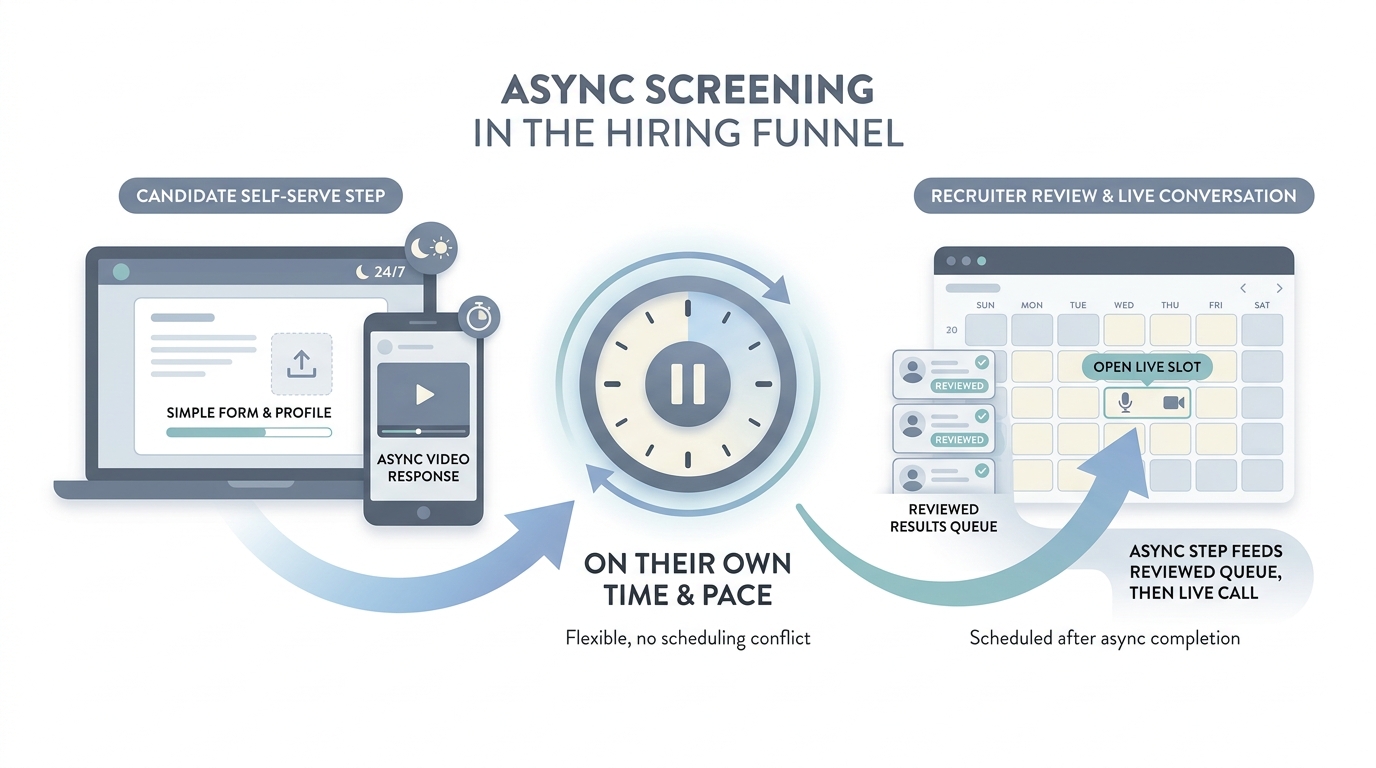
Collecting structured answers from candidates on their own time (forms, voice prompts, short video tasks, or chat-style bots) before a live recruiter call, so high-volume funnels stay fair and schedulable.
Michal Juhas · Last reviewed May 2, 2026
What is async screening?
Async screening lets candidates finish steps on their own time, like short video answers or tasks in a form, before live interviews. Teams use it to handle more volume while humans still review finalists.
In practice
- A candidate records two-minute video answers on their phone before anyone books a live call. Invites often say "async interview" or "one-way video" from HireVue-style tools or newer vendors.
- High-volume hourly hiring uses short quizzes on availability before a recruiter phones ten people. Dispatchers still say "complete this step async" even without a brand name on the form.
- Recruiters tell each other "we moved first screens async" when calendars were the bottleneck last season and the team needed air in the diary.
Quick read, then how hiring teams use it
This is for recruiters, sourcers, TA, and HR partners who need the same vocabulary in debriefs, vendor calls, and policy reviews. Skim the first section when you need a fast shared picture. Use the second when you are deciding how it shows up in the ATS, sourcing tools, or candidate communications.
Plain-language summary
- What it means for you: The candidate records answers on their own time instead of booking a live phone call first. Your team watches later, often in a batch.
- How you would use it: You reserve it for early funnel volume where the same questions matter for every applicant, not for final culture fit.
- How to get started: Write the three questions you ask on every first screen. Record yourself answering them so tone matches what you expect from candidates.
- When it is a good time: When calendars are the bottleneck and you still need consistent signal before humans invest live time.
When you are running live reqs and tools
- What it means for you: Async is a trade: scale and consistency versus candidate experience and disability access. Legal and brand teams care about instructions, retention, and opt-out paths.
- When it is a good time: When hiring managers ask for "more signal" but refuse calendar slots.
- How to use it: Pair with structured rubrics (scorecard culture), cap length, and audit a sample weekly for bias tells.
- How to get started: Pilot one role family, compare completion rates to live screens, and publish plain-language expectations to applicants.
- What to watch for: Ghosting after one-way video, over-trusting "AI scoring" without human review, and skipping accommodations workflows.
Where we talk about this
Live AI in recruiting sessions use async as a case study in candidate respect versus throughput. If your policy fights are real, not theoretical, bring them to Sourcing Lab.
Around the web (opinions and rabbit holes)
Third-party creators move fast. Treat these as starting points, not endorsements, and double-check anything before you wire candidate data.
YouTube
- One-Way Video Interviewing Explained | Asynchronous & On-Demand (Spark Hire) defines the candidate-facing format many teams call async screening.
- The future of work with AI (Microsoft) is not async-only, but leadership decks often pair these topics.
- Generative AI in 9 minutes (Fireship) is a fast reset before you evaluate vendors that bolt AI scoring onto async tools.
- How are video interviews (asynchronous) actually working out for you? in r/recruiting is a practitioner thread on real tradeoffs.
- Are one way video interviews actually here to stay? in r/Recruitment debates agency realities.
- Recruiters, is asynchronous video interviewing of candidates useful or a waste of time? in r/recruiting is an older but still-cited split on value.
Quora
- What are the pros and cons of one-way video interviews? collects mixed candidate and employer answers (read critically).
Async versus live phone screen
| Mode | Strength | Risk |
|---|---|---|
| Async | Schedules breathe, more coverage | Drop-off if friction is high |
| Live | Nuance and rapport | Harder to scale |
Related on this site
- Glossary: Scorecard, Structured output, Workflow automation
- Blog: AI candidate screening
- Guides: Talent acquisition managers
- Course: Starting with AI: the foundations in recruiting