Intake notes to job description (AI)
Using AI to transform raw hiring manager intake notes - bullet points, call transcripts, or rough requirements - into a structured, publish-ready job description that matches the role brief and company tone.
Michal Juhas · Last reviewed May 4, 2026
What is intake notes to job description (AI)?
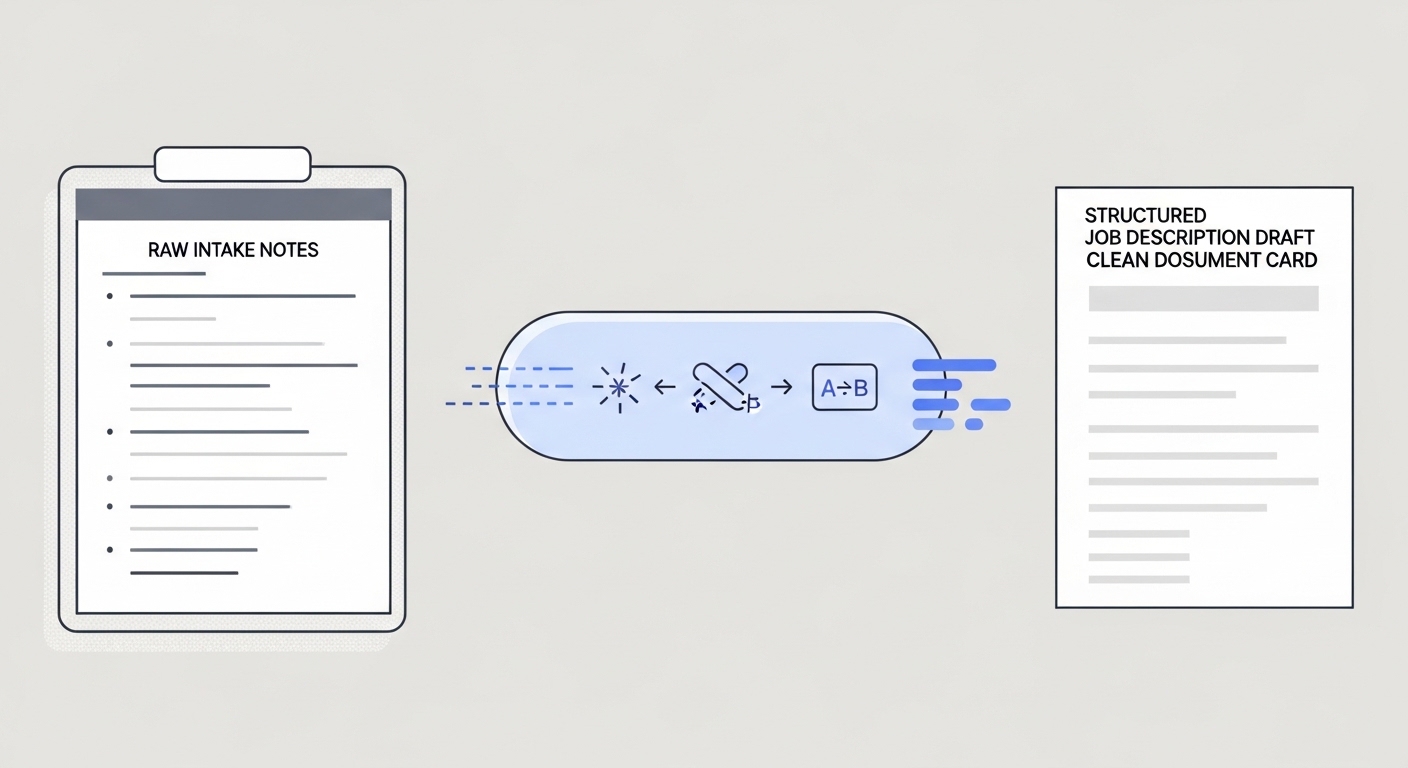
Intake notes to job description (AI) is the practice of feeding raw hiring manager notes, call transcripts, or bullet-point briefs into an AI model and receiving a structured draft job description in return. A recruiter then reviews, edits, and publishes that draft rather than writing the full JD from scratch.
The intake call is where a recruiter and hiring manager align on what the role actually needs: skills, level, team context, reporting structure, and any constraints the job posting should reflect. Those notes are often messy. AI turns messy notes into structured copy fast, so the recruiter's time goes into editing and calibrating rather than drafting.
In practice
- A recruiter pastes the notes from a 30-minute intake call into ChatGPT with a prompt that specifies tone, required sections, and seniority level. The first draft comes back in under 90 seconds and covers roughly 70% of what needs to be there.
- TA ops teams build a lightweight workflow automation where a new req in the ATS triggers a Slack message asking the recruiter to paste their intake notes. The model returns a draft JD in the thread for the recruiter and hiring manager to comment on before it moves to posting.
- A hiring manager finishes the intake call and shares their notes via a shared doc. The recruiter feeds those notes through a prompt chain that first extracts structured requirements, then generates JD sections, then checks the output against a bias checklist before routing for approval.
Quick read, then how hiring teams use it
This is for recruiters, sourcers, TA, and HR partners who need the same vocabulary in debriefs, vendor calls, and policy reviews. Skim the first section when you need a fast shared picture. Use the second when you are deciding how this fits your ATS, intake process, or posting workflow.
Plain-language summary
- What it means for you: You take your messy notes from a hiring manager call and hand them to an AI model with a clear prompt. The model returns a draft JD with sections, bullet points, and company-appropriate language. You fix what is wrong and post what is right, instead of starting from a blank page.
- How you would use it: After every intake call, open your AI tool of choice, paste in your notes plus a prompt template your team agreed on, review the output against your notes, and send the draft to the hiring manager for a quick check before posting.
- How to get started: Write one structured prompt template for your most common role type. Include: job title, team context, seniority, tone, and required JD sections. Use it on your next intake call notes and see how much editing the output needs. Iterate on the prompt, not the output.
- When it is a good time: When you have real intake notes from a call or document, not just a job title. When you have a prompt template that has been reviewed by someone who knows your brand voice. When the hiring manager has 10 minutes to review a draft rather than 45 minutes to write one from scratch.
When you are running live reqs and tools
- What it means for you: At scale, intake-to-JD is a stage in a broader workflow automation pipeline: intake notes trigger a draft, the draft routes to review, the approved draft posts to the ATS and job boards. Each step needs an owner, a format spec, and a fallback when the model output is unusable.
- When it is a good time: After you have a stable prompt template with at least 10 real examples checked against hiring manager feedback. When your ATS exposes an API endpoint you can write back to. When someone owns the prompt version and logs which model produced which draft.
- How to use it: Wire the intake step to accept a structured input (job title, level, team size, key requirements as a bulleted list) rather than free-form notes. Structured output from the model makes it easier to slot sections into ATS fields without manual copy-paste. Add a bias-check step before the draft reaches the hiring manager.
- How to get started: Map your current intake-to-posting workflow on paper first. Identify the one step that loses the most time (usually the first draft). Automate that step before wiring the rest of the chain. Read AI sourcing tools for recruiters to understand where JD automation fits in a broader toolchain.
- What to watch for: Thin intake notes produce thin JDs - AI cannot hallucinate requirements that were never discussed. Watch for model drift when your prompt template references a specific format and the model returns something different after a version update. Keep a human review gate before any JD reaches a candidate-visible channel, and log complaints from hiring managers so prompt issues are traceable.
Where we talk about this
On AI with Michal live sessions, intake-to-JD comes up in both the AI in recruiting and sourcing automation tracks. The AI in recruiting block covers how to write a prompt that produces a useful first draft and what a recruiter review checklist should include. The sourcing automation block connects the same step to ATS triggers and approval routing. If you want the full room conversation with real intake examples, start at Sourcing Lab and bring your most recent hiring manager brief.
Around the web (opinions and rabbit holes)
Third-party creators move fast. Treat these as starting points, not endorsements, and double-check anything before you wire it to your ATS or post it on behalf of your company.
YouTube
- How to Write a Job Description with ChatGPT walks a basic intake-to-JD prompt live so you can see the flow and the gaps in one take.
- AI Job Description Generator (step-by-step) surfaces several practitioner walkthroughs showing different prompt structures and review steps.
- Search "ChatGPT job description recruiter" on YouTube for recent practitioner examples; the tool landscape moves fast enough that videos from the last 6 months reflect the current model behaviour better than older tutorials.
- Using AI to write job descriptions - anyone done this? in r/recruiting has honest practitioner threads about what worked and what the hiring manager hated.
- ChatGPT for JD writing in r/humanresources covers the HR-side concerns (bias, legal review, brand voice) that recruiting threads sometimes skip.
- r/RecruitmentAgencies has threads on using AI JD tools at agency speed (high volume, fast turnaround) where the quality bar and the review process are different from in-house recruiting.
Quora
- How do recruiters use AI to write job descriptions? collects practitioner answers with varying depth; filter for responses from people who name a specific tool and a specific outcome rather than generic endorsements.
Related on this site
- Glossary: Few-shot prompting, Structured output, Prompt chain, Hallucination, Workflow automation, Human-in-the-loop (HITL)
- Blog: AI sourcing tools for recruiters
- Live cohort: Sourcing Lab
- Course: Starting with AI: the foundations in recruiting
- Membership: Become a member