Time in stage reporting
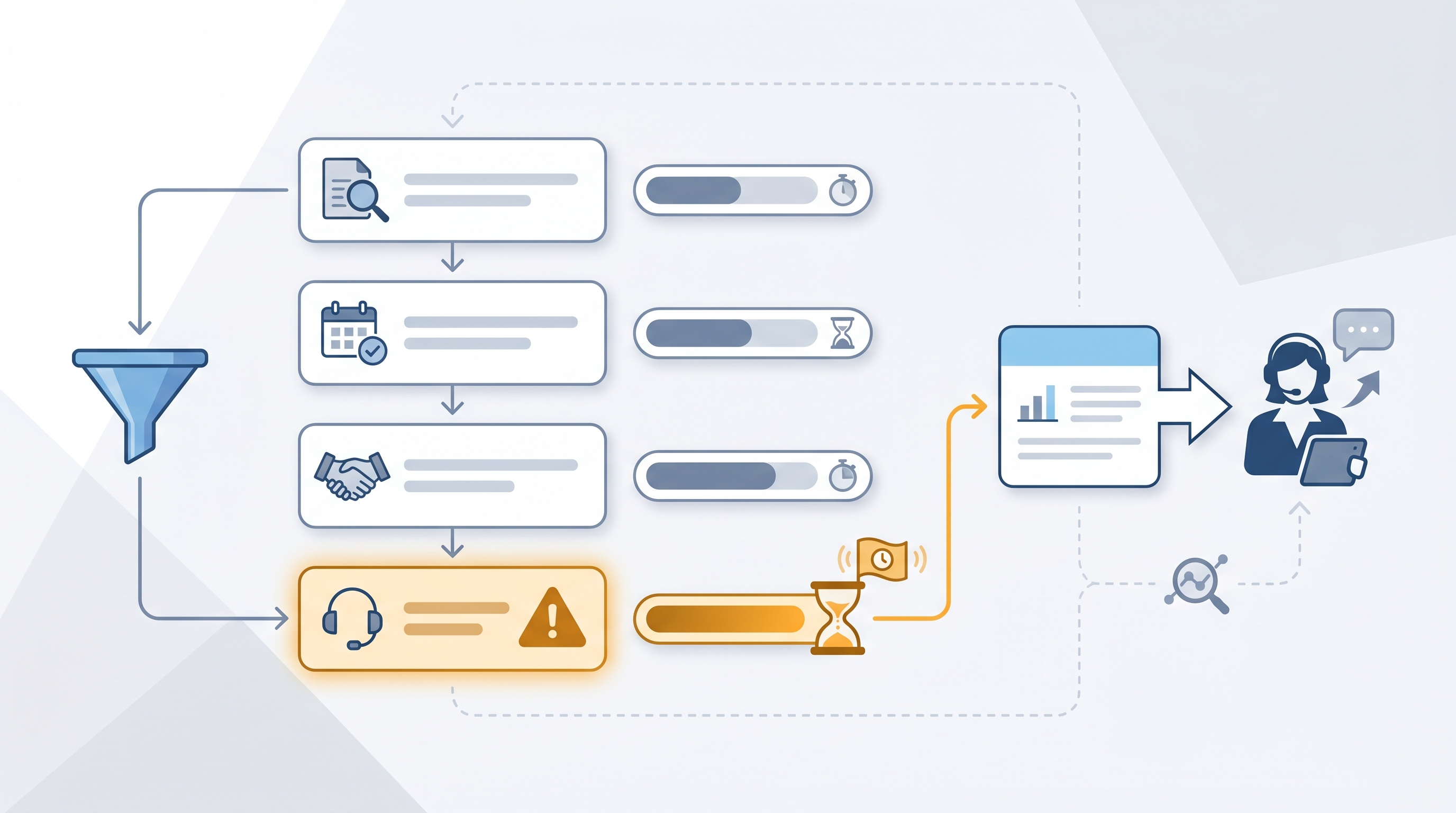
Time in stage reporting measures the average number of days candidates spend in each hiring pipeline stage, giving TA teams a stage-by-stage bottleneck map instead of a single time-to-fill number.
Michal Juhas · Last reviewed May 8, 2026
What is time in stage reporting?
Time in stage reporting measures how long candidates spend in each distinct step of the hiring pipeline, from recruiter screen through debrief to offer. Where time-to-fill gives you one number for the whole process, time in stage gives you a row for each decision point so you can name the bottleneck instead of debating whether hiring is slow.
The data lives inside your ATS. Every time a recruiter moves a candidate from one stage to the next, the system logs a timestamp. Most ATS platforms can export or display the difference between those timestamps as average days per stage. You do not need a data team or a custom BI tool; a CSV export and a spreadsheet calculation is enough to start on your most important reqs.
Teams that track stage time stop having the wrong conversation. Instead of asking why time-to-fill is 45 days, you get a specific answer: hiring manager review is averaging 12 days, which is where most of the delay lives. That is a conversation with a named owner, not a team-wide complaint.
In practice
- A TA leader's time-to-fill report shows 38 days average but hides the fact that candidates are spending 11 of those days parked in "hiring manager review." Stage-level data surfaces this in seconds; a single time-to-fill number does not.
- A sourcer at a 200-person scale-up reviews their ATS pipeline velocity report every Monday. Any candidate stuck in the same stage for more than three business days triggers a short Slack message to the recruiter with the candidate name and stage. Within a month, silent drops fall by roughly half.
- Vendors and ATS providers use different names for the same idea: "stage aging," "pipeline velocity," "time in funnel." The underlying metric is always the same: average days per decision bucket, not total days across the whole process.
Quick read, then how hiring teams use it
This is for recruiters, sourcers, TA leads, and HR business partners who need the same vocabulary in pipeline reviews, vendor conversations, and hiring manager syncs. Skim the first section for a shared picture. Use the second when you are setting up alerts, pulling reports, or building a stage dashboard.
Plain-language summary
- What it means for you: Instead of one big "days to hire" number, you get a row for each stage showing how long candidates are sitting in each bucket. That tells you exactly where to push.
- How you would use it: Pull a stage duration report from your ATS once a week. Flag any stage averaging over your target, for example two business days for recruiter screen or five for hiring manager review. Talk to the owner of that stage.
- How to get started: Check whether your ATS has a "pipeline velocity" or "stage duration" report. Run it on your three most active reqs. If the report does not exist, export the candidate log as a CSV and calculate the timestamp differences manually.
- When it is a good time: When you have a time-to-fill problem but cannot name where the process breaks. Stage data converts a vague complaint into a specific conversation.
When you are running live reqs and tools
- What it means for you: Stage data is only as reliable as your ATS hygiene. If recruiters move candidates in batches on Fridays or delay logging rejections by a week, the averages become noise before they become signal. Audit stage movement frequency before you trust the numbers.
- When it is a good time: A weekly cadence is enough for most teams. Daily stage reports are only useful when you have the ops capacity to act on them immediately.
- How to use it: Connect ATS stage timestamps to a shared dashboard or a weekly AI digest prompt. Set a simple alert rule: if any candidate has been in the same stage for more than a defined threshold, surface a flag with the candidate name and the stage owner. Cross-link with sourcing funnel metrics to see whether slow stages correlate with specific sources or role types.
- How to get started: Map your ATS stages to the decision points that actually matter; not every status update is a meaningful stage. Run a 90-day lookback on three recently closed reqs and calculate average days per decision stage manually. That baseline tells you what normal looks like before you wire an alert.
- What to watch for: Candidates parked in "screen scheduled" because the recruiter forgot to advance them after the call, candidate withdrawals inflating average stage time for completed pipelines, and weekend or holiday effects that distort business-day calculations if your ATS logs calendar days.
Where we talk about this
On AI with Michal live sessions, time in stage analysis comes up in both the AI in recruiting and sourcing automation tracks. Sourcing automation sessions show how to wire ATS exports into a weekly digest prompt; AI in recruiting sessions connect stage data to hiring manager communication cadence and candidate experience. If you want the full room discussion on how to set stage-level SLAs that hiring managers will actually respect, start at Sourcing Lab and bring your current ATS reporting setup.
Around the web (opinions and rabbit holes)
Third-party resources move quickly. Treat these as starting points, not endorsements, and double-check anything before wiring candidate data into a new tool or pipeline.
YouTube
- Time to Fill vs. Time in Stage: What Recruiting Metrics Actually Tell You covers how stage-level data shifts the conversation from "why is hiring slow" to "where is hiring slow."
- ATS Reporting: How to Use Pipeline Velocity Reports walks through the specific reports most ATS platforms expose and how to interpret them.
- How to Build a Recruiting Dashboard in Sheets or Looker Studio shows how to pipe ATS exports into a lightweight dashboard without a dedicated BI tool.
- How do you track time in stage? in r/recruiting collects real-world approaches from TA teams working with different ATS platforms and export limitations.
- Is anyone using AI to summarise ATS pipeline data? shows how teams are piping stage exports into Claude or ChatGPT for weekly digest drafts.
- Best ATS for reporting and analytics? in r/humanresources captures the HR perspective on what good ATS reporting looks like when you need stage-level granularity.
Quora
- What recruiting metrics should every talent acquisition team track? includes practitioner answers covering time in stage alongside cost per hire and offer acceptance rate.
Time-to-fill versus time in stage
| Metric | What it measures | What it misses |
|---|---|---|
| Time-to-fill | Days from open req to accepted offer | Where the delay actually sits |
| Time in stage | Days per pipeline decision point | How stages interact and compound |
| Source of hire | Where accepted hires originated | How long each source takes per stage |
Related on this site
- Glossary: Time to fill, Talent acquisition metrics, Weekly hiring funnel report
- Glossary: Sourcing funnel metrics, Interview to offer ratio, Hiring funnel conversion rates
- Glossary: Workflow automation, Applicant tracking software
- Blog: AI sourcing tools for recruiters
- Workshops: Sourcing Lab
- Course: Starting with AI: the foundations in recruiting
- Membership: Become a member