Applicant tracking software
Software that stores candidate records, tracks application status through defined pipeline stages, and coordinates recruiter, hiring manager, and interviewer activity from open requisition to hire decision.
Michal Juhas · Last reviewed May 3, 2026
What is applicant tracking software?
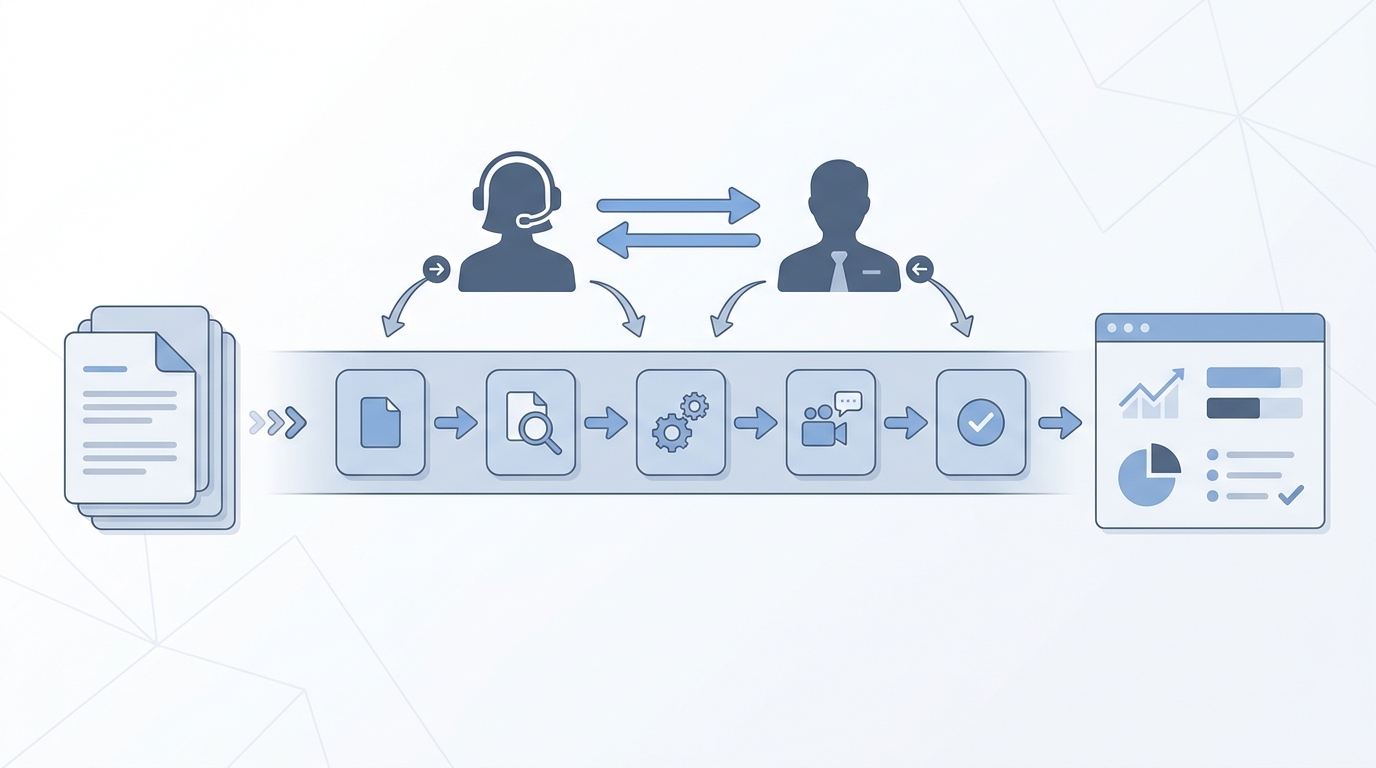
Applicant tracking software (ATS) is the system of record for hiring. It stores candidate records tied to specific requisitions, tracks application status through defined pipeline stages, and coordinates activity between recruiters, hiring managers, and interview panels. Most platforms also post roles to job boards, parse resumes into structured fields, handle interview scheduling, and generate pipeline reports.
The quality of what an ATS delivers depends on how carefully the stage logic is defined and whether the team fills key fields consistently. Empty fields and mismatched stage names make every downstream report and AI feature unreliable before a single candidate sees a decision.
In practice
- A recruiter describes a candidate as "in the ATS" when the record transfers from a sourcing sequence into a formal application workflow tied to a specific req, with stage history and interviewer feedback attached.
- A TA ops lead calls it a data quality problem when stage names do not match the real process, fields are blank, and no one can tell how long candidates spend at each step.
- In a vendor demo, a hiring manager asks whether the ATS connects to the calendar system; most modern platforms offer interview scheduling integration, but reliability varies and the configuration takes time to get right.
Quick read, then how hiring teams use it
This is for recruiters, TA leads, HRBPs, and TA ops who need to evaluate, configure, or set policy for an ATS. Skim the first section for a shared definition. Use the second for decisions about configuration, AI features, and compliance.
Plain-language summary
- What it means for you: An ATS keeps every candidate record in one place, tied to the req they applied for, so you and your hiring manager are looking at the same stage data without chasing email threads.
- How you would use it: Open a req, source or receive applications, move candidates through defined stages, collect interviewer feedback, and generate an offer -- all documented in one system.
- How to get started: Audit your current stage list. Do the stages reflect real handoffs, or are candidates stacking in a generic holding stage? Fix the stage logic before adding AI features on top.
- When it is a good time: Any time more than one recruiter manages the same pipeline, or when a hiring manager asks for a status update more than twice a week on the same req.
When you are running live reqs and tools
- What it means for you: ATS data feeds every downstream tool: sourcing analytics, AI shortlisting, diversity reporting, and workflow automation. Bad stage hygiene or empty fields compound when models start treating them as signal.
- When it is a good time: After stage logic is stable and field completion rates are high on key fields, then wire AI features and automation on top of a working foundation.
- How to use it: Map every automation trigger to a stage transition with a named owner. Add a human-in-the-loop gate before AI-scored shortlists reach hiring managers. Log which AI version and prompt generated each screening decision so audits are traceable.
- How to get started: Pull a field completion report from your current ATS. Identify the three fields with the lowest fill rates and fix those first before layering in AI-assisted screening or reporting.
- What to watch for: AI scoring that hides its reasoning, integrations that move candidate PII to third-party enrichment tools without a DPA, and resume parsing errors that silently exclude candidates with non-standard CV formats.
Where we talk about this
AI in recruiting Live Build sessions cover ATS configuration and common traps: stage logic that does not match reality, interview feedback fields nobody fills in, and AI features enabled before data quality is ready. Sourcing automation sessions go deeper on the integration layer, covering where ATS stage events trigger outreach tools, enrichment APIs, and retry logic. Bring your ATS name and one workflow that feels broken to Sourcing Lab so the room works through it on a real example rather than a demo.
Around the web (opinions and rabbit holes)
Third-party creators move fast in this space. Treat these as starting points, not endorsements. Verify tool capabilities and compliance postures directly with vendors before connecting candidate data.
YouTube
- What is an Applicant Tracking System? (Workable) is a vendor walkthrough useful for building vocabulary before comparing platforms in a shortlisting conversation.
- How ATS Systems Screen Resumes flips the perspective to show how candidates try to optimise for keyword filters, which is useful context for anyone writing screening criteria.
- HR Tech Explained: ATS vs CRM covers the product distinction that matters when your team is evaluating an enterprise suite bundling both modules.
- What ATS does your company use? in r/recruiting collects candid recruiter experiences with major platforms across company sizes.
- ATS data quality -- anyone else have this problem? surfaces the field completion and stage hygiene issues that vendor demos do not address.
- Switching ATS -- what did you wish you knew? in r/RecruitmentAgencies covers migration pain points and data-mapping decisions from practitioners who have gone through it.
Quora
- What is the best applicant tracking system for a small team? collects practitioner opinions across company sizes and budget ranges.
ATS versus recruiting CRM
| Feature | ATS | Recruiting CRM |
|---|---|---|
| Primary records | Active applicants tied to an open req | Prospective candidates not yet applied |
| Stage logic | Application pipeline to hire or reject | Nurture sequences and relationship touchpoints |
| Compliance trigger | PII retention after process closes | Consent for proactive outreach |
| AI use case | Resume scoring, shortlist ranking | Engagement scoring, pipeline readiness |
Related on this site
- Glossary: Resume parsing, Candidate data enrichment, Workflow automation, Human-in-the-loop, AI bias audit, Best recruitment platform, Talent acquisition metrics
- Blog: AI sourcing tools for recruiters
- Guides: Sourcers
- Workshops: Sourcing Lab
- Course: Starting with AI: the foundations in recruiting
- Membership: Become a member