Best AI tools for recruiting
The best AI tools for recruiting are the ones that cut the highest-friction steps in your actual hiring workflow, pass a human review gate before touching candidates, and hold up under real req volume, not only vendor demo conditions.
Michal Juhas · Last reviewed May 5, 2026
What are the best AI tools for recruiting?
There is no single best AI tool for recruiting. The right choice depends on which part of your hiring workflow breaks first under volume or complexity. The best options for drafting job descriptions and outreach are not the same as the best options for sourcing passive candidates, scoring resumes at scale, or structuring interview notes after a live panel.
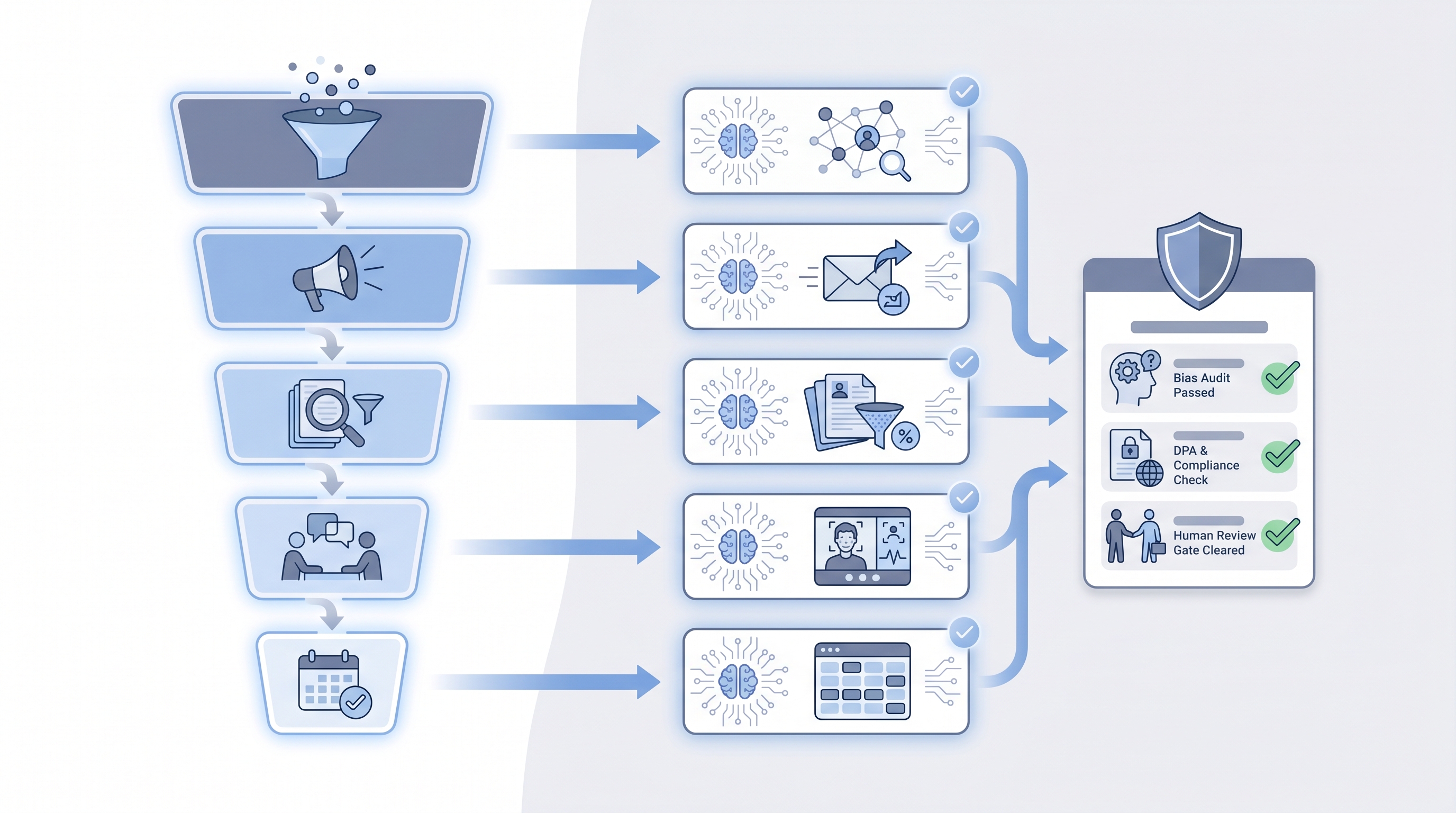
What the top-rated AI recruiting tools share in 2026: they are honest about model limits, they push outputs to a human-in-the-loop review gate before touching candidates, and they provide enough audit trail that compliance questions have a written answer ready.
In practice
- A sourcing team at a Series B tried three AI sourcing tools and found that one surfaced the right profiles for high-volume engineering roles but missed for executive and niche specialist searches. A second tool won the executive use case. Using both saved eight hours per week, but neither was universally best.
- When a TA lead asks a vendor which AI tool is best for their team and the answer is a list of customer logos, the right follow-up is: what is the correction rate on a role that looks like mine? The answer separates tools that hold up in production from tools that look good in demos.
- A recruiter using the free tier of ChatGPT (GPT-4o) to draft first-touch messages, editing them before sending, and logging the final version is using one of the best AI tools for recruiting for their current volume. Best because it fits the workflow, not because it has the most features.
Quick read, then how hiring teams use it
This is for individual recruiters, sourcers, TA leaders, and HR ops practitioners who need to find and evaluate AI recruiting tools without getting lost in vendor marketing. Skim the first section for a shared frame. Use the second when you are deciding which tool to trial or retire.
Plain-language summary
- What it means for you: The best AI tools for recruiting are the ones that reduce time spent on steps that do not need your judgment, while keeping you in control of every decision that affects a candidate.
- How you would use it: Identify your highest-friction task, try one tool against it for 30 days on real roles, and score on output quality and your editing rate before extending the trial.
- How to get started: Name the three recruiting tasks that cost your team the most hours per week. Search for tools that specifically address one of those three. Run a side-by-side trial on real roles before committing to a contract.
- When it is a good time: When volume has grown past what the team can review at the quality you want, or when a specific stage (sourcing, screening, scheduling) consistently delays the rest of the pipeline.
When you are running live reqs and tools
- What it means for you: Every AI tool in your recruiting stack creates an obligation: log what the tool recommended, which version ran, who reviewed the output, and what decision followed. That trail is what compliance questions resolve against.
- When it is a good time: Before any AI tool touches early-funnel filtering at volume, where adverse impact risk and GDPR automated-decision rules apply simultaneously.
- How to use it: Map each tool to one stage. Keep AI output in a review queue before it writes to the ATS or reaches a candidate. Run a quarterly AI bias audit on any tool that scores or ranks candidates.
- How to get started: List every AI feature active in your current stack. For each: who owns it, where candidate PII goes, and whether the DPA is signed. Most teams find at least one active tool that nobody audited after the initial demo.
- What to watch for: Tools that write AI recommendations directly to candidate records without a review gate, vendors who cannot show a model versioning policy, and scoring outputs that shift after an undisclosed model update.
Where we talk about this
On AI with Michal sessions, tool evaluation happens on real role briefs, not sanitised vendor demos. The AI in recruiting track covers how to shortlist and stress-test AI tools across sourcing, screening, drafting, and scheduling. The sourcing automation track goes deeper on outreach and pipeline tools, including the integration and compliance checks vendors tend to skip. Bring your current shortlist and your biggest friction point to Sourcing Lab for a peer-tested conversation with practitioners running similar stacks.
Around the web (opinions and rabbit holes)
Treat these as starting points, not endorsements. AI recruiting tool features, pricing, and compliance posture change rapidly. Verify claims directly with vendors before connecting any tool to live candidate data.
YouTube
- Best AI tools for recruiters shows recent practitioner reviews of sourcing, drafting, and screening tools tested on real roles rather than curated demos.
- How recruiters are using AI tools in 2025 covers workflow-level breakdowns from practitioners who describe what held up under production volume.
- AI recruiting tool comparison shows head-to-head output quality tests from TA leads who ran trials with live hiring briefs.
- What AI tools are you using for recruiting? in r/recruiting collects candid in-production reports from practitioners across company sizes and ATS setups.
- AI tools for recruiting: 6 months in, what worked and what did not is honest about which categories paid off and which generated more admin than they saved.
- Best AI sourcing tools you actually use? in r/recruiting separates vendor claims from what survives real req volume and renewals.
Quora
- What are the best AI tools for recruiting? gathers practitioner picks with varying levels of production context; cross-reference with recent Reddit threads before shortlisting.
Best AI recruiting tools by category
| Stage | Tool category | What to verify before going live |
|---|---|---|
| Sourcing | Semantic search, signal-based ranking | DPA signed, model version documented, correction rate on your role family |
| Outreach | AI drafting with template controls | Recruiter edit rate, tone consistency, opt-out compliance |
| Screening | Resume parsing, scorecard fill | Bias audit run, human review gate in place, error rate by job family |
| Interview notes | Transcription and summary | Candidate consent recorded, accuracy on your domain vocabulary |
| Scheduling | Availability coordination | Calendar integration tested, candidate experience on rescheduling |
| Analytics | Pipeline intelligence, source quality | Stage mapping validated, data freshness confirmed, alert ownership named |
Related on this site
- Glossary: AI recruiting tools, AI hiring tools, AI tools for recruitment, AI sourcing tools, AI in recruiting, Human-in-the-loop, AI bias audit, Resume parsing, Adverse impact, Few-shot prompting
- Blog: AI sourcing tools for recruiters
- Guides: Sourcers
- Workshops: Sourcing Lab
- Courses: Starting with AI: the foundations in recruiting
- Membership: Become a member