Best recruiting software for small business
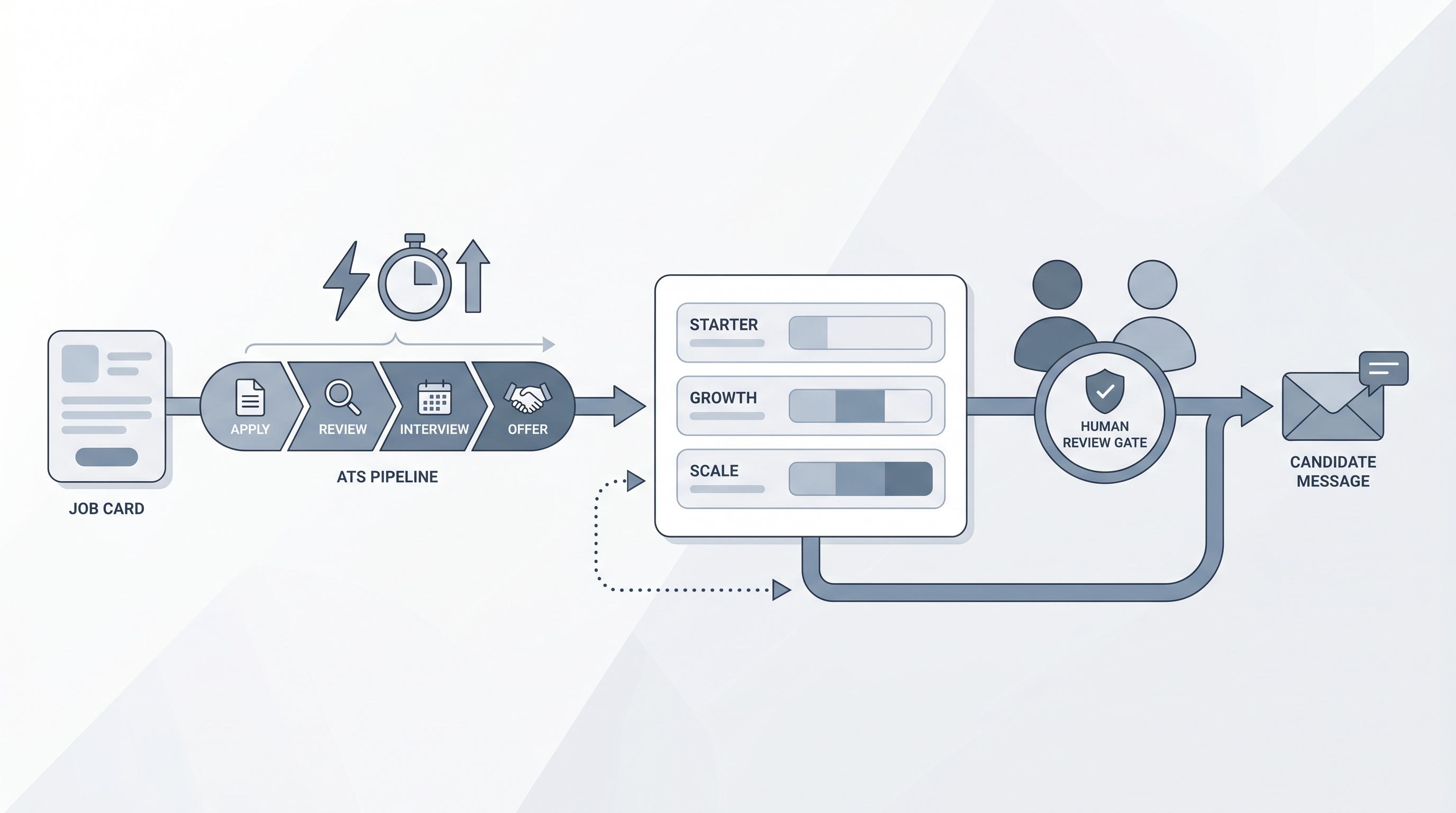
The best recruiting software for small business is the stack that covers job posting, candidate tracking, and offer management without requiring a dedicated admin, fits predictable per-seat pricing, and connects cleanly to the email and calendar tools the team already uses.
Michal Juhas · Last reviewed May 5, 2026
What is the best recruiting software for small business?
There is no single winner. The best recruiting software for a small business is the combination a non-technical hiring manager can set up in a day, run on a predictable budget, and actually use to move candidates from inbox to offer without needing a dedicated ops person to keep it running.
Most small teams searching this question are either hiring for the first time or replacing a spreadsheet system that has started to break. This page focuses on what to test and what to avoid, not which vendor wins a category ranking, because fit depends on req volume, team size, and the integrations already in use.
In practice
- A founder describes the best recruiting software for their ten-person company as the tool where she posts a role, gets applications sorted, and books interviews without leaving her existing calendar.
- A part-time HR coordinator calls the stack broken when the ATS requires her to export a CSV and import it into a separate scheduling tool every time she wants to send a time slot.
- A hiring manager at a 30-person startup flags a compliance gap when he discovers the vendor retains rejected candidate data indefinitely with no built-in deletion workflow.
Quick read, then how small hiring teams use it
This is for founders, office managers, part-time HR leads, and first-time recruiters evaluating a first hiring tool or replacing a spreadsheet that has stopped working. Skim the first section for vocabulary. Use the second when making the actual selection.
Plain-language summary
- What it means for you: The best recruiting software for small business is relative to your budget, your req volume, and how much internal time you can dedicate to software administration. A platform that fits a 200-person company will cost more to run at 15 people than it appears on the pricing page.
- How you would use it: Write down the last three hires. Map the friction points in each: where did a candidate email get lost, where did interview scheduling require five back-and-forth messages, where did you forget to follow up? The tool that removes the most common failures is the right starting point.
- How to get started: Start a free trial during an active req. Import at least three real historical applications and move them through the pipeline. If the trial frustrates you on your own data, the production experience will be worse.
- When it is a good time: Before you start a new search, after a hire slips because of a missed email, or when a GDPR deletion request arrives with no clear way to respond.
When you are running live reqs and tools
- What it means for you: Tool selection sets the data quality baseline everything else inherits. Recruiting email automation, structured feedback, and offer tracking all depend on candidate records being clean from the first application.
- When it is a good time: At the point where two reqs are open simultaneously and a spreadsheet is no longer reliable. Also at annual contract renewal when actual usage data makes a vendor switch or downgrade defensible.
- How to use it: Freeze all shadow tools (personal email folders, separate spreadsheets, shared Notion pages) for 30 days and route all candidate activity through the new system. This surfaces the gaps in the tool before you are locked in.
- How to get started: Choose one active role as the migration pilot. Run that role entirely through the new tool, including job post, scheduling, feedback collection, and offer. Only expand to the full pipeline after one hire closes cleanly.
- What to watch for: Add-on pricing that only appears after the trial converts, AI features that require separate vendor agreements for the data they process, and support queues measured in business days rather than hours.
Where we talk about this
AI in recruiting sessions include a segment on tool evaluation for teams at all sizes, with specific discussion of small business constraints: budget, setup time, and support. Bring your vendor shortlist to Sourcing Lab so peers who have already run this process can challenge your assumptions before you sign. Sourcing automation sessions are relevant if you are adding outbound sourcing on top of inbound applications and need your ATS to stay clean as candidate volume grows.
Around the web (opinions and rabbit holes)
Third-party creators cover this space actively. Treat these as starting points, not endorsements. Verify vendor capabilities directly before connecting candidate data to any tool.
YouTube
- Best recruiting software for small business 2025 for buyer-perspective walkthroughs that show the admin setup experience, not just the candidate-facing flow.
- ATS comparison for small teams for side-by-side demos from operators who have migrated across multiple tools.
- Recruiting without an ATS: when does a spreadsheet stop working? for honest conversations about the threshold where a lightweight tool earns its cost.
- What ATS do you use for a small company? in r/recruiting collects candid opinions from teams under 50 employees with real pricing and support experiences.
- Recruiting tools for a startup without an HR team in r/startups for founder and hiring manager perspectives on managing the first five to twenty hires.
- GDPR and small business hiring: what tools actually handle it? in r/recruiting for compliance discussions that vendor marketing avoids.
Quora
- What is the best recruiting software for a small business? collects practitioner answers across company sizes and budget ranges; compare with Reddit threads above for balance.
Small business vs. enterprise recruiting software: key differences
| Factor | Small business | Enterprise |
|---|---|---|
| Setup time | Same day to one week | Weeks to months |
| Admin overhead | Hiring manager self-service | Dedicated TA ops or HRIS admin |
| Pricing model | Per-seat flat rate, predictable | Per-module, often negotiated |
| Integration depth | Email, calendar, job boards | SSO, HRIS, background check APIs |
| AI features needed | Parsing, draft assistance | Scoring, diversity analytics, bias audit |
| Support SLA | Hours, chat or email | Named CSM, enterprise SLA |
Related on this site
- Glossary: Applicant tracking system for small business, Best recruiting software, Hiring platforms, Hiring tools, Best applicant tracking software, Resume parsing, Recruiting email automation, Workflow automation, Human-in-the-loop, AI bias audit
- Blog: AI sourcing tools for recruiters
- Guides: Sourcers
- Workshops: Sourcing Lab
- Course: Starting with AI: the foundations in recruiting
- Membership: Become a member