Recruiting stage SLA metrics
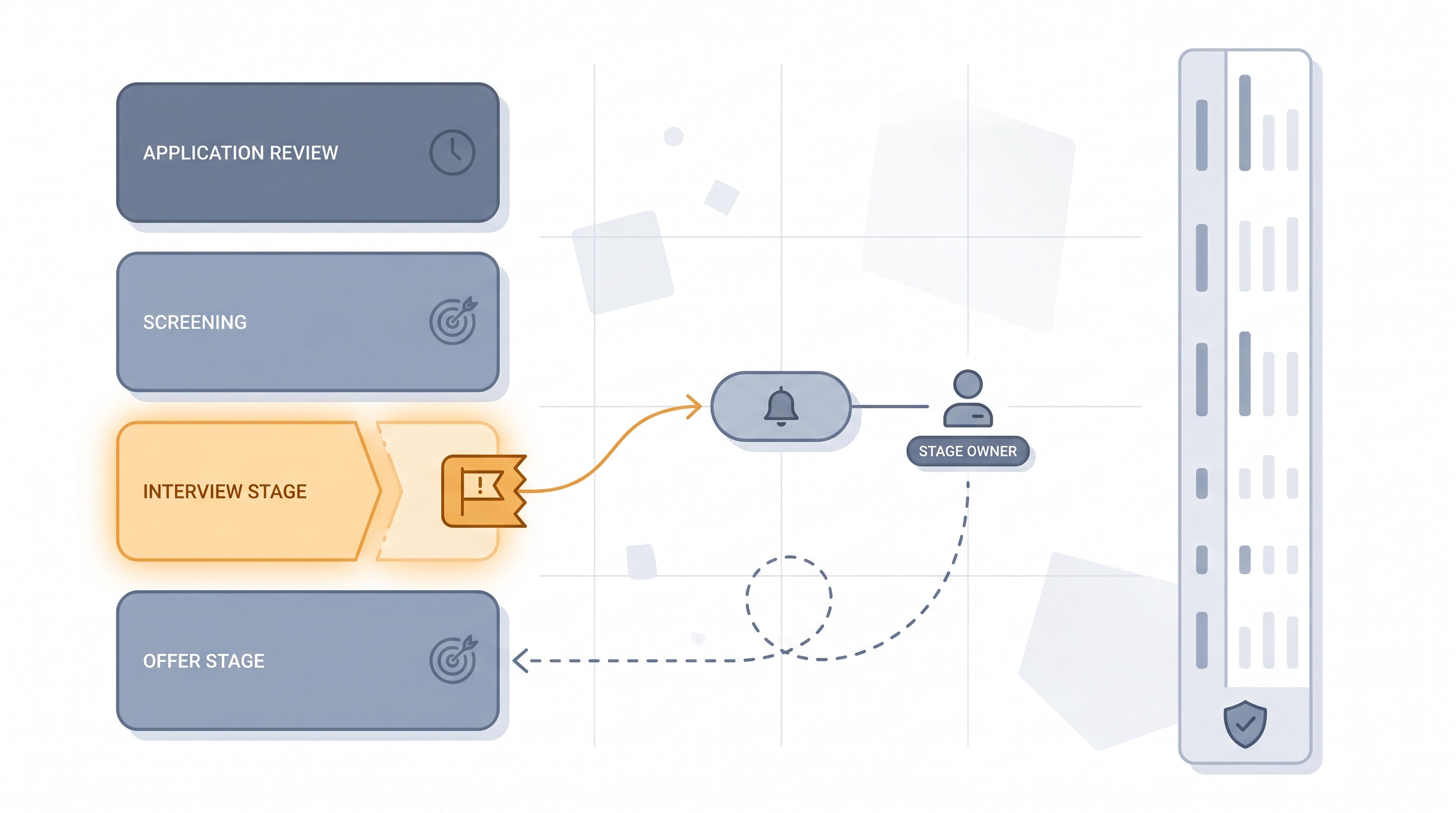
Recruiting stage SLA metrics are time-based targets that define the maximum number of business days a candidate should wait in each hiring pipeline stage before a decision is made or the delay is escalated to a named owner.
Michal Juhas · Last reviewed May 9, 2026
What is a recruiting stage SLA metric?
Recruiting stage SLA metrics set time-based targets for each step in the hiring pipeline and fire an alert when a candidate sits in a stage longer than the agreed limit. Where time in stage reporting measures what happened, an SLA target defines what should happen and holds a named owner accountable when it does not.
The most common SLA examples are simple: recruiter screen scheduled within two business days of application, hiring manager feedback returned within five days of interview, offer letter sent within one day of verbal acceptance. Teams that set these targets and wire even a basic alert usually see silent drops fall faster than any dashboard ever achieved.
SLAs only work if someone owns each stage. Before you set the target, agree who gets the alert and what happens next. Otherwise you have a measurement, not a commitment.
In practice
- A TA lead at a fast-growing company sets a three-day SLA for hiring manager review. A simple overnight script checks stage timestamps each morning and drops a Slack message for every candidate over the limit. Within six weeks, silent drops from that stage fall by half and hiring managers start treating the three-day target as a real commitment, not a suggestion.
- Vendors describe the same idea with different labels: "stage aging," "pipeline velocity alerts," "time in stage thresholds." The underlying question is always the same: how long is too long, and who gets notified when it happens?
- A recruiter managing 12 open reqs simultaneously uses SLA alerts as a triage tool, not a performance review. The alert surfaces the two candidates who need action today so the other ten do not require manual scanning.
Quick read, then how hiring teams use it
This is for recruiters, sourcers, TA leads, and HR business partners who need shared vocabulary in pipeline reviews, vendor conversations, and hiring manager syncs. Skim the first section for a shared picture. Use the second when you are setting up alerts, pulling reports, or building a stage dashboard.
Plain-language summary
- What it means for you: Instead of discovering a candidate has been waiting nine days only when they accept another offer, you get a nudge on day three. That's the whole idea.
- How you would use it: Pick two or three stages where silence is the most common complaint. Set a target in business days. Wire an alert, even a manual one, that fires when the limit is crossed.
- How to get started: Pull a 90-day time-in-stage baseline from your ATS. Find the stage where the gap between your median and your best-case is largest. Set a target halfway between them. That's your first SLA.
- When it is a good time: When you have a time-to-fill problem but everyone disagrees where the delay sits. Stage SLAs create a fact, not a debate.
When you are running live reqs and tools
- What it means for you: SLA targets are only as reliable as your ATS hygiene. If recruiters advance candidates in batches on Fridays or delay logging rejections by a week, the timestamps lie and the alert fires at the wrong time. Audit stage movement frequency before trusting the numbers.
- When it is a good time: After you have at least 60 days of clean stage movement data and at least one named owner per stage. Setting SLAs before owners are agreed creates alerts that nobody acts on.
- How to use it: Connect ATS stage timestamps to a nightly script or workflow automation that posts a breach list each morning. Cross-reference with pipeline coverage reporting to see whether slow stages correlate with specific role types or hiring managers.
- How to get started: Start with two stages: recruiter screen and hiring manager feedback. Set targets, wire the alert, run it for four weeks. Review the breach rate and adjust before expanding to every stage.
- What to watch for: Candidates parked in admin states before being formally advanced, weekends and holidays inflating calendar-day counts when the SLA should track business days, and SLA targets set in a planning meeting that never got shared with the hiring managers who own the stage.
Where we talk about this
On AI with Michal live sessions, stage SLA metrics come up in both the AI in recruiting and sourcing automation tracks. Sourcing automation sessions cover how to wire ATS exports into nightly alert scripts; AI in recruiting sessions connect stage targets to hiring manager communication cadence and candidate experience. If you want the full room discussion on how to set targets that hiring managers will actually respect, start at Sourcing Lab and bring your current ATS reporting setup and a list of your worst-performing stages.
Around the web (opinions and rabbit holes)
Third-party resources move quickly. Treat these as starting points, not endorsements, and double-check anything before wiring candidate data into a new tool or pipeline.
YouTube
- How to Set Recruiting SLAs and Hold Hiring Managers Accountable surfaces practitioner discussions on setting and enforcing hiring stage targets.
- ATS Reporting: Pipeline Velocity and Stage Duration walks through how most ATS platforms expose stage timing data and where the alert layer typically lives.
- How to Build a Recruiting Dashboard Without a BI Team covers lightweight approaches to turning ATS stage exports into actionable dashboards.
- How do you enforce SLAs with hiring managers? in r/recruiting collects honest accounts of what works and what breaks when recruiters try to hold hiring managers to time targets.
- Is anyone using automation to alert on slow pipeline stages? shows real setups teams are running with n8n, Zapier, and basic scripts.
- Best ATS for stage-level reporting and alerts? in r/humanresources captures the HR ops perspective on what good ATS reporting looks like.
Quora
- What service-level agreements should a recruiting team set? collects practitioner answers on which stages matter most and how teams communicate SLA targets to hiring managers.
Stage SLA versus time-in-stage reporting
| Concept | What it does | Limitation |
|---|---|---|
| Stage SLA target | Defines the maximum acceptable wait time per stage | Only works if owners are agreed and alerts are wired |
| Time in stage reporting | Measures actual elapsed time per stage after the fact | Shows what happened, not what to do before it does |
| Pipeline coverage reporting | Tracks volume and velocity across all open reqs | Does not name the stage-level bottleneck |
Related on this site
- Glossary: Time in stage reporting, Talent acquisition metrics, Pipeline coverage reporting
- Glossary: Weekly hiring funnel report, Funnel velocity recruiting, Hiring funnel conversion rates
- Glossary: Workflow automation, Applicant tracking software
- Blog: AI sourcing tools for recruiters
- Workshops: Sourcing Lab
- Course: Starting with AI: the foundations in recruiting
- Membership: Become a member