Recruitment bots
Software agents that handle specific hiring tasks automatically, such as answering candidate FAQs on a career page, running structured screening questions, scheduling interviews, or sending follow-up sequences, without a recruiter manually triggering each action.
Michal Juhas · Last reviewed May 15, 2026
What are recruitment bots?
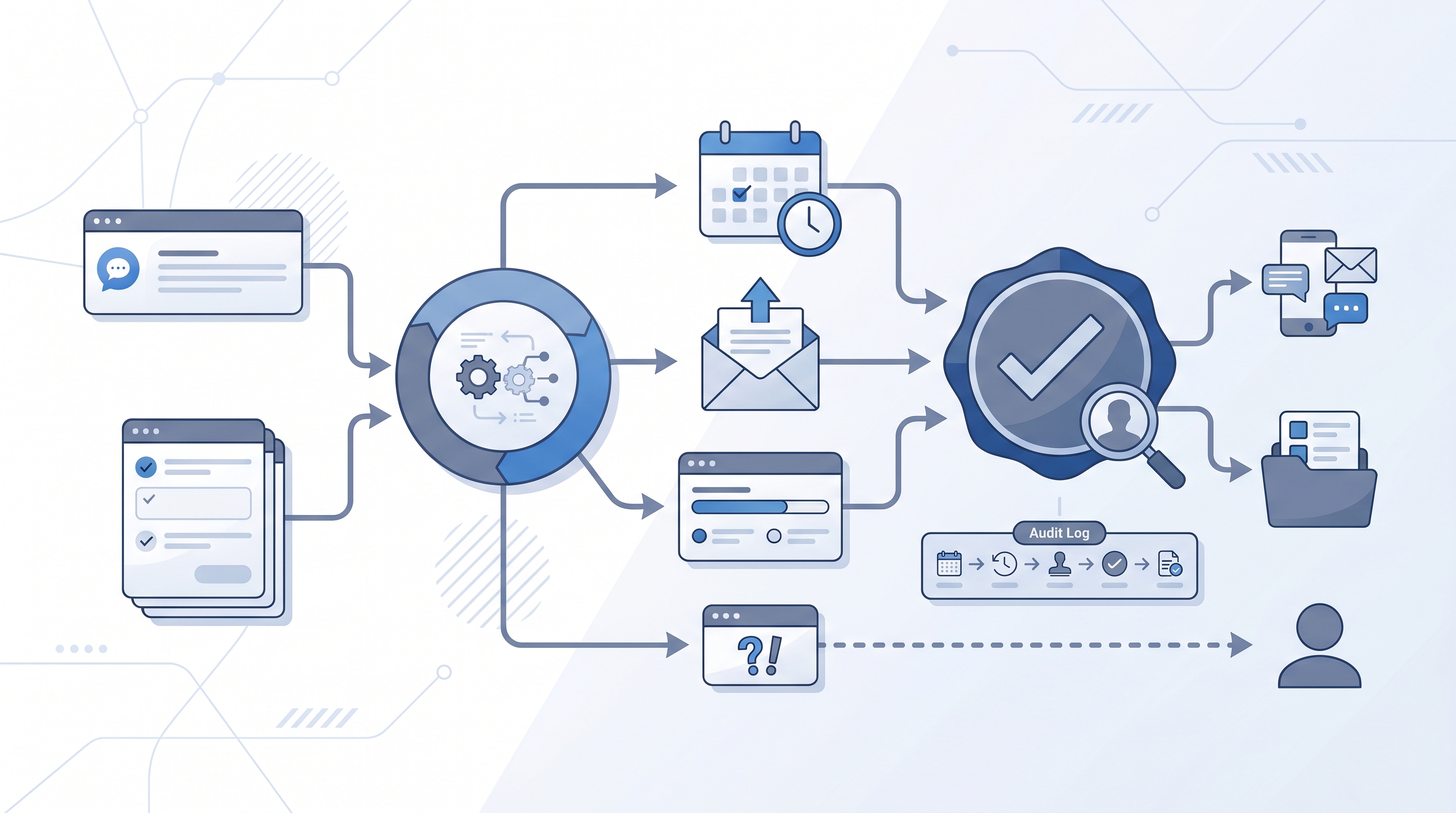
Recruitment bots are software agents designed to handle specific, repeatable hiring tasks automatically: answering candidate questions on a career page, sending structured screening questions and collecting responses, scheduling interviews by matching calendar availability, or maintaining outreach sequences without a recruiter manually sending each message.
The term covers a wide range of complexity. A simple career-page chatbot is a lookup table with a chat interface. A screening bot can run multi-turn conversations, parse responses, and route candidates based on answers. An AI-powered agent can navigate external platforms and take actions autonomously.
What they share is a narrow job definition. Bots that work well in recruiting are scoped to a single bottleneck, have a clear escalation path when something is outside scope, and do not make final hiring decisions without a human review gate.
In practice
- A widget on a career page that answers "are you hiring remotely?" or "what is the salary range?" is a FAQ bot. It saves coordinator time but needs an escalation button for questions it cannot answer, or candidates hit a dead end.
- A scheduling bot embedded in an outreach email that offers three calendar slots and confirms the invite automatically is the same "if this, then that" idea used across SaaS tools, pointed at interview logistics.
- A TA ops manager might say "the bot screened out half the applicants before we saw them" when a screening bot is running knockout questions. That sentence describes either a major time-saver or a compliance risk, depending on whether a human reviewed the rejection logic before it went live.
Quick read, then how hiring teams use it
This is for recruiters, sourcers, TA, and HR partners who need shared vocabulary in vendor evaluations, debrief calls, and policy reviews. Skim the first section for a fast shared picture. Use the second when you are deciding how bots show up in your ATS, sourcing stack, or candidate communications.
Plain-language summary
- What it means for you: A bot handles one repeating job (answer a question, send a message, collect a form response) every time it is needed, without the recruiter being the trigger. Useful for FAQ on high-traffic roles, scheduling logistics, and follow-up sequences.
- How you would use it: Pick one bottleneck (coordinators answering the same five career-page questions every day), choose a bot that handles exactly that task, and wire it to your ATS or comms stack. Confirm it has an escalation path before you turn it on.
- How to get started: Map the task end-to-end on paper first. Who gets the bot output? What happens when the bot does not understand? What candidate data does it touch? Only after those three questions have answers does the vendor demo make sense.
- When it is a good time: When the same question or task recurs more than 20 times a week, when there is a named owner for the bot config, and when GDPR lawful basis for the data it collects is already documented.
When you are running live reqs and tools
- What it means for you: Bots handle data in motion: conversations, consent captures, screening responses. That is different from workflow automation that moves data quietly in the background. Compliance, audit trails, and escalation paths matter more because a human is on the other end.
- When it is a good time: After your process is stable enough that the bot scripts will not need rewriting weekly, when your ATS exposes a reliable integration, and when you have an error inbox someone checks daily.
- How to use it: Route bot output to a review queue before it writes to the ATS or triggers a stage change. Set escalation triggers for blank responses, out-of-scope questions, or low-confidence answers. Log every automated decision with a timestamp, model version if AI-backed, and the name of the config owner.
- How to get started: Deploy one bot for one role type as a pilot. Compare bot-screened candidates against manually reviewed candidates for two to three weeks before turning off the manual path. Read workflow automation before you chain bot output into a downstream automation.
- What to watch for: Silent failures (bot collects answers but does not write back to ATS), GDPR gaps (data processed without a lawful basis or DPA), poor intent recognition (bot loops the same FAQ regardless of what the candidate typed), and rejection at scale (a misconfigured screening bot can reject hundreds of qualified candidates before anyone notices).
Where we talk about this
On AI with Michal live sessions we cover recruitment bots in two places: AI in recruiting blocks address chatbot deployment, candidate experience trade-offs, and when automation replaces care rather than manual effort; sourcing automation blocks connect bot output back to pipeline hygiene, ATS logging, and GDPR review. If you want the full room conversation with real stack questions, start at Sourcing Lab.
Around the web (opinions and rabbit holes)
Third-party creators move fast. Treat these as starting points, not endorsements, and double-check anything before you wire candidate data through a new tool.
YouTube
- Recruitment chatbot demo for vendor walkthroughs showing real conversation flows and recruiter reactions in the comment threads.
- AI recruiting bot n8n for build-in-public walkthroughs that show what the plumbing looks like before a vendor demo polishes it.
- HR chatbot candidate experience for candid takes from TA practitioners on what breaks in practice, not just what the product page promises.
- r/recruiting search: chatbot surfaces real recruiter opinions on which bots annoy candidates and which ones save coordinator time.
- r/RecruitmentAgencies search: recruitment bot for agency threads on outreach sequencers and what clients say when they find out.
Quora
- Quora search: recruitment chatbots pros and cons returns a range of practitioner answers; read critically and check dates since this space changes quickly.
Chatbot vs. screening bot vs. outreach bot
| Type | Core job | Main risk |
|---|---|---|
| Career-page FAQ chatbot | Answer candidate questions before apply | Dead-end answers with no escalation path |
| Screening bot | Ask knockout questions, route by response | Article 22 exposure if auto-rejecting |
| Scheduling bot | Match availability, confirm interview | Missed slots if calendar sync breaks |
| Outreach sequencer | Send and follow up automatically | Candidate experience damage at scale |
Related on this site
- Glossary: Workflow automation, Human-in-the-loop (HITL), Async screening, Recruiting email automation, Recruiting webhooks, GDPR and first-touch outreach
- Blog: AI sourcing tools for recruiters
- Guides: Sourcers
- Live cohort: Sourcing Lab
- Membership: Become a member