n8n for Recruiting Automation
Michal Juhas · About 15 min read · Last reviewed May 7, 2026
Overview
Primary intent: use n8n as of early 2026 as a workflow engine for recruiting operations: triggers (webhook, schedule, polling) drive nodes that transform, branch, and call HTTP APIs, so rows, messages, and tasks move on rules you can read off a graph.
n8n is not a replacement for your ATS or for judgment on candidates. It is the plumbing between systems once the policy, field mapping, and review gates are clear. Teams win when they automate one measured loop (time saved, error count, reply quality) before they chain five vendors.
Self-hosted and cloud deployments both exist; secrets, logs, and subprocessors still need the same security conversation as any iPaaS (see OAuth and API security). Pair n8n with LLM steps only after prompts and output shapes are stable in chat (see prompt chain).
If you are choosing between paste-first AI and automation, read How it compares to similar tools below, then follow Practical steps with a read-only path before any node writes to mail or the ATS.
Side-by-side tool notes: ChatGPT, Claude, Gemini, Cursor. Full tools directory.
What recruiters use it for
- Route inbound applicants from a form or webhook into a staging sheet or Slack channel, with filters for role, geography, or visa field, and a human step before any candidate-visible mail.
- Notify recruiters when a CSV export lands in Drive or when an ATS stage changes, attaching structured fields only (no surprise attachments until policy allows).
- Normalise messy spreadsheet columns (trim titles, map seniority buckets) before a second flow pushes clean JSON into an internal tool or data store.
- Call an enrichment or AI summary API only after consent and vendor checks pass, then append results to a draft column rather than overwriting source-of-truth fields.
- Run scheduled digest jobs: daily pipeline health posts to a TA channel with counts and exceptions, not raw PII dumps.
- Prototype structured output shapes from Claude or ChatGPT as JSON, then let n8n validate and route each key to the right downstream system.
How it compares to similar tools
If you are new to workflow automation for TA, ship one flow that reads more than it writes, measure errors for two weeks, then widen scope. Feature lists change; the table below is about recruiting-shaped jobs, not benchmark scores.
| Tool | Same recruiting job | Major difference |
|---|---|---|
| n8n (this page) | Move and transform hiring data on triggers; call HTTP APIs and AI nodes | Visual graph, self-host option, execution logs you can inspect; you own secrets, retries, and failure paging. |
| ChatGPT | Draft briefs, scorecards, outreach from pasted context | No native scheduled multi-system routing; often paired upstream of n8n for copy that fills fields. |
| Claude | Long drafts and comparison tables in chat | Same: chat-first; use n8n when the same payload must hit three systems on a schedule. |
| Gemini | Docs and Gmail drafts inside Google Workspace | Strong in-editor help; central cross-vendor automation still often lands in an iPaaS such as n8n. |
| Cursor | Markdown specs and prompt packs in Git | Design and review automation intent; n8n runs the graph against live credentials. |
| Zapier / Make (iPaaS peers) | Connect ATS, mail, sheets on triggers | SaaS-first admin and pricing models differ; compare DPA, EU residency, logging, and cost per run in procurement, not in a blog table. |
Where to start (opinionated): if your problem is only better wording in a doc, stay in Gemini or ChatGPT until the template is boring. If the problem is the same ten steps every Monday, pilot n8n on a read-only Slack digest first. If engineering already standardises on Git for runbooks, draft the node list in Cursor, then implement in n8n with code review on credentials. When Zapier or Make already passes security with the same vendors, switching is a procurement question, not a moral one.
What works well
- Visibility: flows read like checklists; new TA ops hires can trace where data entered and which branch fired.
- Control: self-host and execution logs help when DPA or region rules require known infrastructure.
- AI at the right layer: optional LLM nodes after structured steps so models summarise or label fields you already validated.
Limits and risks
- Garbage in: bad CSV headers, duplicate rows, or ambiguous stage values multiply across nodes. Fix data before you automate volume.
- Secrets risk: OAuth tokens and API keys in shared workspaces need rotation, scopes, and offboarding like any production system (see OAuth and API security).
- Operational load: someone must own failed runs, version changes, and disable switches when HR says stop.
- No ATS judgment: n8n does not understand fairness or role fit; it routes what you coded. Human-in-the-loop stays mandatory on candidate-facing actions.
Practical steps
A 15-minute first workflow (read-heavy, no candidate mail)
Create an n8n account (cloud or self-hosted per IT) in a workspace TA ops can access, not a personal trial tied to one recruiter's inbox.
Pick one trigger you can replay safely: for example Manual trigger with a sample JSON row, or a Google Sheet watch on a sandbox tab with fake candidates.
Add three nodes only: trigger → Set (normalise field names) → Slack (or Email to yourself) with a short template that lists role, source, and timestamp. Do not attach full CV text until legal agrees.
Run ten test executions. Count duplicates, empty emails, and wrong stage values. Fix the Set node rules until the noise drops.
Add an IF node that stops the path when must-have fields are missing, and route misses to a dead-letter channel so they do not vanish.
Optional: add an LLM step later
After the shape of the JSON is stable, insert an OpenAI, Anthropic, or Google Gemini node that only reads already-validated fields. Log model name and prompt version on each run for audit (see structured output).
Second prompt: workflow red-team (before go-live)
You are a TA automation reviewer. Below is a plain-language outline of an n8n workflow (nodes and purpose). List the top ten failure modes: duplicate sends, PII leakage, wrong stage writes, missing rollback, token expiry, rate limits, and GDPR issues. For each, mark SEVERITY High/Med/Low and one mitigation. Do not invent vendor features; if an assumption is missing, write UNKNOWN.

WORKFLOW OUTLINE:
[paste]
Official documentation
Primary sources: n8n documentation, Hosting and security, Build an AI workflow (tutorial). Community: n8n community forum. Definitions: workflow automation, human-in-the-loop, OAuth and API security.
Recommended getting started videos
Three YouTube picks: product tour, then prompting depth. All open in a new tab.
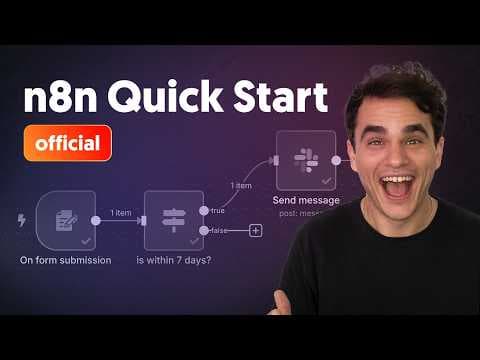 n8n Quick Start Tutorial: Build Your First Workflow [2025]
n8n · about 15 min
Official-style quick start on triggers, mapping, and a simple action so TA ops can speak the same vocabulary as engineering.
 n8n Beginner Course (1/9) - Introduction to Automation
n8n · about 13 min
Foundations on what a workflow is, when to split flows, and why recruiting use cases need clear ownership.
 n8n Beginner Course (2/9) - Introduction to APIs and Webhooks
n8n · about 15 min
Webhooks and HTTP basics you need before wiring ATS vendors, forms, or internal services into n8n.
Example prompt
Copy this into your tool and edit placeholders for your process.
You are helping TA ops design an n8n workflow before any engineer opens the canvas. Output nodes in order with one-line purpose each. Use placeholders for secrets (for example [WEBHOOK_SECRET], [ATS_API_TOKEN]). Include explicit human gates where a candidate or hiring manager could see text.
CONTEXT (paste policy bullets, systems involved, and the measurable goal):
[paste]
Output exactly:
- Trigger (what starts the run)
- Node list (name + purpose; max 12 nodes for v1)
- Data contract (required fields per node; what happens if missing)
- Human-in-the-loop steps (who approves, where they click, max SLA)
- Kill switch (how to disable the workflow in under five minutes)
- Observability (what you log; where alerts go)
These pages are independent teaching notes. No vendor paid for placement. Product UIs and policies change; use official documentation for the latest features and data rules.