Claude for Talent Sourcing & Screening
Michal Juhas · About 15 min read · Last reviewed May 7, 2026
Overview
Primary intent: run recruiting comparisons and long-form drafting in Anthropic Claude as of early 2026, when your inputs are many pages of text (several resumes, a JD plus intake notes, or a long internal brief) and you still want numbered steps, tables, and repeatable sections in the reply.
Claude wins attention in Live Build sessions when context length and instruction following matter more than opening yet another document. Projects (custom instructions plus uploaded files) behave like a lightweight agent knowledge base; treat uploads as versioned policy, not fire-and-forget background (see agent knowledge base).
Paste workflows share the same data exit rules as any chat tool: only text your DPA and HR policy allow to leave the ATS or mailbox. Long threads do not replace human-in-the-loop sign-off on outreach, offers, or adverse-impact wording (see human-in-the-loop).
If you are choosing a default assistant for the team, read How it compares to similar tools below, then run Practical steps once with a real req before you standardise.
Side-by-side tool notes: ChatGPT for TA, Gemini for TA, Cursor for TA, n8n for TA. Browse the full tools directory.
What recruiters use it for
- Compare two or three anonymised profiles against one scorecard in a single table, with quoted evidence per row and explicit gaps to probe on screen.
- Red-team outreach before send: tone, clarity, and a line-by-line check that claims match the FACTS block you pasted, not the model's memory.
- Turn a long JD and hiring-manager notes into interview themes, a phone-screen outline, and a debrief form that share the same headings every time.
- Keep a Claude project per archetype (for example "EMEA commercial leadership") with system instructions plus a style guide file so coordinators inherit the same must-not phrases (see system instructions).
- Draft structured summaries for internal mobility or exec review: bullets with citations back to the source paste, plus a short risk section labelled inference where you still need a human.
- Prototype JSON or checklist-shaped outputs before you hand the same fields to n8n or an API, using structured output patterns your engineers can reuse.
How it compares to similar tools
If you are new to AI chat for TA, pick one tool for two weeks, run one workflow daily, then decide. Feature lists change; the table below is about recruiting-shaped jobs, not benchmark scores.
| Tool | Same recruiting job | Major difference |
|---|---|---|
| Claude (this page) | Long pastes: JD plus several profiles, side-by-side tables, multi-step instructions | Strong at holding instructions across a long thread; Projects carry files + rules into new chats. Retention and enterprise controls depend on your Anthropic plan; read your admin console and DPA, not blog summaries. |
| ChatGPT | Quick briefs, scorecards, outreach when pastes are shorter | Widest habit share in many teams; custom GPTs and Microsoft paths overlap what Projects do. |
| Gemini | Job post and doc edits inside Google Workspace | Natural when drafts never leave Docs or Gmail; check Google enterprise settings for HR data. |
| Cursor | Markdown rubrics and prompt packs in Git | Repo context and diffs; assumes editor and version-control literacy. |
| Microsoft Copilot for Microsoft 365 | Summaries in Outlook / Word / Teams | Stays inside the Microsoft boundary your IT team already reviews. |
Where to start (opinionated): if your typical task is one JD and three full profiles in one shot, pilot Claude first, then keep ChatGPT for the short loops your team already knows. If everyone lives in Google Docs, pilot Gemini before you add another tab. If your artefacts are files in a repo, use Cursor for drafting and keep Claude for ad-hoc long reads. When rows need to move in the ATS on a schedule, plan n8n after the prompt and fields are stable.
What works well
- Long-context comfort: fewer "please continue" breaks when the paste already includes intake notes, JD, and several profiles.
- Instruction shape: responds well when you number steps, name output sections, and give one gold example from a past hire.
- Projects: central place for tone rules, disallowed claims, and uploaded templates so new chats inherit the same guardrails (still needs an owner when policy changes).
Limits and risks
- Data exit: long threads can hold more personal data per session. Align with legal on what may be pasted into consumer versus enterprise workspaces.
- Hallucination: confident language about employers, titles, dates, and credentials is still unverified until a human checks the source (see hallucination).
- Token and cost drift: very long threads and large uploads burn context and budget; skim LLM tokens and re-read Anthropic pricing notes when vendors refresh models.
- Stale project files: uploaded scorecards or comp bands age out silently unless someone dates and refreshes them.
Practical steps
A 15-minute first session (long paste, no integration)
Pick one live req where you already have an approved JD excerpt and two anonymised profiles (text export only, no URLs unless policy allows).
Open a new chat (or a dedicated project if your plan includes it) and paste a three-line data rule at the top: use only the FACTS blocks; label anything not verbatim as INFERRED; write UNKNOWN instead of guessing.
Paste FACTS in clearly labelled blocks (JD, profile A, profile B). Keep each block under what your admin guide allows for PII classes.
Run the comparison prompt in the Example prompt section below. Read the table row by row: if a cell has no quoted fragment, send it back with "add evidence or mark TBD".
Run the outreach fact-check block below on any mail you might send, even if Claude did not draft it.
Optional: when automation is next
When the table columns and FACTS labels stop changing, that spec is a good hand-off to n8n or your ATS vendor integration team. Chat proves the shape; automation moves the rows.
Second prompt: outreach fact-check (paste after your draft)
You are a recruiting editor. Below is outreach I may send. List every factual claim about the employer, the role, or the candidate. For each claim, mark SOURCE if it appears verbatim in the FACTS block, or FLAG if it is implied or missing. Do not rewrite yet.

FACTS (paste only approved text):
[paste]

OUTREACH DRAFT:
[paste]
Official documentation
Primary sources: Claude documentation, Claude AI help centre. Prompting depth: Anthropic prompt engineering overview. Definitions: Claude in recruiting, hallucination, LLM tokens.
Recommended getting started videos
Three YouTube picks: product tour, then prompting depth. All open in a new tab.
 Behind the prompt: Prompting tips for Claude.ai
Anthropic · about 4 min
Official Anthropic prompt engineer walkthrough: clear instructions, examples, and honesty boundaries that map directly to screening and outreach drafts.
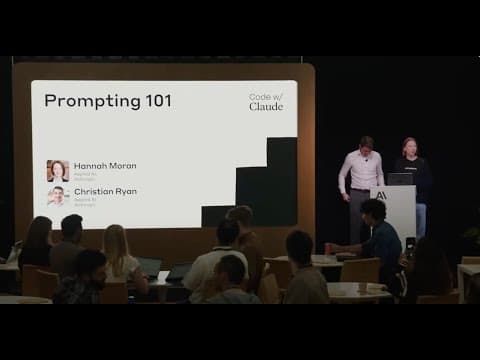 Prompting 101 | Code w/ Claude
Anthropic (Code w/ Claude) · about 12 min
Structured prompting habits from Anthropic's own series; skip the coding demos if you only need the pattern language for recruiter prompts.
 Claude AI 101: The Complete Beginner's Guide (Full Course Walkthrough)
Kilo Loco · course-length
Full tour of claude.ai features including Projects and Artifacts; treat as a reference library and jump to the chapters your TA team actually needs.
Example prompt
Copy this into your tool and edit placeholders for your process.
You are helping a sourcer compare candidates for one role. Use only the FACTS blocks. If a cell needs a detail that is missing, write TBD. Every strength or risk bullet must end with a short quoted phrase from the FACTS blocks. If you cannot quote, write "no evidence in paste".
FACTS: JOB (paste JD excerpt or intake bullets):
[paste]
FACTS: CANDIDATE A (anonymised label only, paste resume or screen notes):
[paste]
FACTS: CANDIDATE B:
[paste]
FACTS: CANDIDATE C (optional):
[paste]
Output exactly:
- A Markdown table with columns: Candidate | Key evidence (quoted) | Strengths vs must-haves | Risks or gaps | Probe questions
- A five-bullet Hiring manager readout in plain language, no new facts
- A short Data hygiene note: what you would still pull from the ATS before anyone sends mail
These pages are independent teaching notes. No vendor paid for placement. Product UIs and policies change; use official documentation for the latest features and data rules.