Chatbot screening
An automated conversational interface that asks candidates pre-set qualifying questions at the top of the hiring funnel, collecting structured answers before a recruiter reviews the application or schedules a live call.
Michal Juhas · Last reviewed May 23, 2026
What is chatbot screening?
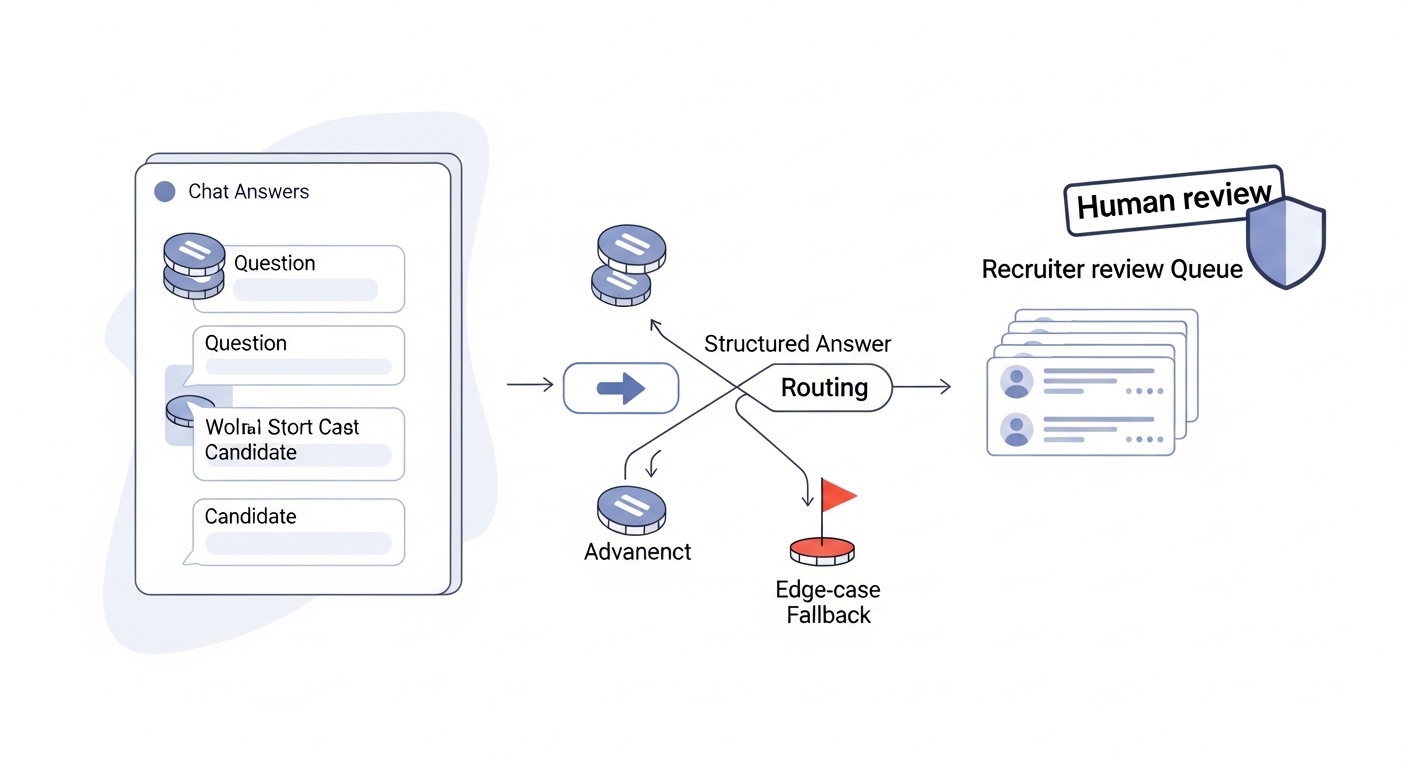
Chatbot screening is an automated conversational interface that asks candidates pre-set qualifying questions right after they apply, usually through a chat widget on the careers site or an ATS integration. The chatbot collects structured answers, routes candidates who meet basic criteria to the next step, and flags edge cases for recruiter review. It is not making hiring decisions: it is replacing the first-round email chase with a faster, more consistent intake step.
In practice
- A retail employer receives 400 applications per opening. A screening chatbot collects right-to-work confirmation, availability, and one role-specific question within 24 hours of each application, cutting time-to-first-contact from 5 days to under 8 hours.
- A recruiter reviews a chatbot transcript and spots that a candidate answered "no" to a required certification question because they misread the wording. A manual rescue check saves a strong applicant who would have been auto-filtered.
- A TA ops lead says "the bot broke" when a question change causes the chatbot to present the wrong options to candidates on mobile, resulting in a wave of confused drop-offs before the problem is caught.
Quick read, then how hiring teams use it
This is for recruiters, sourcers, TA, and HR partners who need the same vocabulary in debriefs, vendor calls, and policy reviews. Skim the first section when you need a fast shared picture. Use the second when you are deciding how it shows up in the ATS, sourcing tools, or candidate communications.
Plain-language summary
- What it means for you: A chatbot that asks new applicants a few questions right away, so recruiters get structured answers instead of chasing the same information by email.
- How you would use it: Connect a chatbot tool to your careers site or ATS. Set the 3 to 5 questions that matter most for eligibility. Review the results dashboard daily and handle edge cases manually.
- How to get started: Pick your highest-volume role. Write 3 factual questions with clear acceptable-answer ranges. Run a pilot for 30 days and check drop-off rates versus your previous process.
- When it is a good time: When a role typically gets more than 50 applications and the first-response lag is causing candidates to accept competing offers before you make contact.
When you are running live reqs and tools
- What it means for you: Chatbot screening sits at the top of the application funnel and feeds structured data into your ATS, replacing manual first-round email and reducing time-to-screen on high-volume roles.
- When it is a good time: When application volume consistently exceeds recruiter capacity for manual first contact within 24 hours, and when your role criteria are stable enough to translate into fixed questions.
- How to use it: Wire the chatbot to your ATS so answers populate structured fields. Set pass-rate thresholds that route candidates forward automatically and flag edge cases for human review. Run a monthly pass-rate analysis by demographic proxy to catch adverse impact early.
- How to get started: Audit your current first-round email questions. Pick the 3 that are truly binary (yes or no, within range or not). Build a chatbot flow with those 3 questions and a fallback branch for unexpected answers.
- What to watch for: Drop-off rate during the chatbot conversation (above 40 percent is a signal the experience feels broken), pass rates that diverge by protected group proxy, and chatbot answers that are never reviewed by a human before a rejection fires.
Where we talk about this
On AI with Michal live sessions, chatbot screening comes up in the AI in recruiting track when we discuss where to apply automation in the hiring funnel and where human judgment is irreplaceable. The goal is always the same: faster first contact, more consistent data, and a fallback gate so edge cases do not get silently rejected. See AI Recruiting Accelerator.
Around the web (opinions and rabbit holes)
Third-party creators move fast. Treat these as starting points, not endorsements, and double-check anything before wiring candidate data to an automated screening flow.
YouTube
- Search "recruiting chatbot setup" on YouTube for walkthroughs of Paradox Olivia, Phenom, and similar tools used in high-volume TA environments.
- Search "chatbot candidate experience" for videos comparing candidate satisfaction scores before and after chatbot implementation.
- r/recruiting has candid threads on chatbot fatigue from candidates and which questions cause the most drop-off.
- r/humanresources covers compliance concerns around chatbot screening questions for protected characteristics.
Quora
- What are the pros and cons of using chatbots in recruiting? collects practitioner views on ROI and risk.
Chatbot screening versus async video
| Dimension | Chatbot screening | Async video screening |
|---|---|---|
| Format | Text, structured answers | Video or audio responses |
| Review time | Near zero per applicant | 2 to 5 minutes per response |
| Volume capacity | Very high | Medium |
| Signal richness | Low (eligibility only) | High (communication style) |
| Candidate effort | Low | Medium |
Related on this site
- Glossary: async screening, one-way video interview, adverse impact
- Glossary: AI bias audit, candidate experience, human-in-the-loop
- Glossary: applicant tracking system, structured output
- Live cohort: AI Sourcing Lab
- Membership: Become a member